Hamarino ny pejinao

bestmenu.net/

Ny sakafo, ny marika, maimaim-poana.
ampio ny tenanao an-tserasera amin'ny minitra.

Mamoròna sakafo maimaim-poana sy pejy QR code ho an'ny trano fisakafoanana, café, na bar — tsy misy app hanamboarana, tsy misy mpandrindra hanakarama. Ampio vilia, misafidiana endrika iray, ary zarao ny rohyo. Manaova famandrihana amin'ny Internet isaky ny vonona.
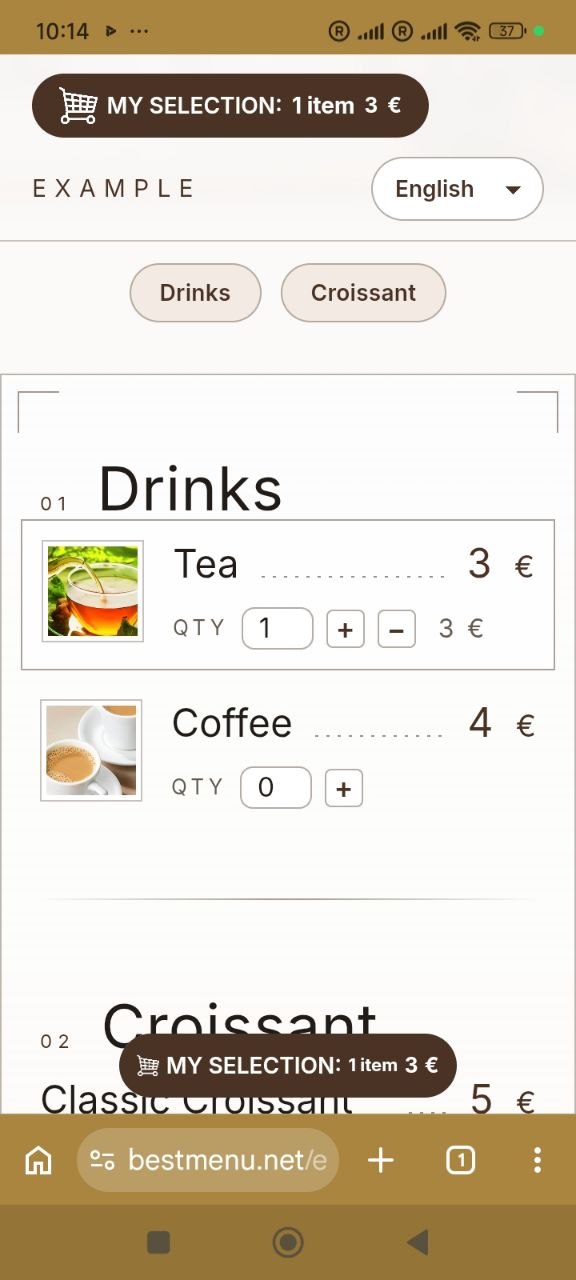
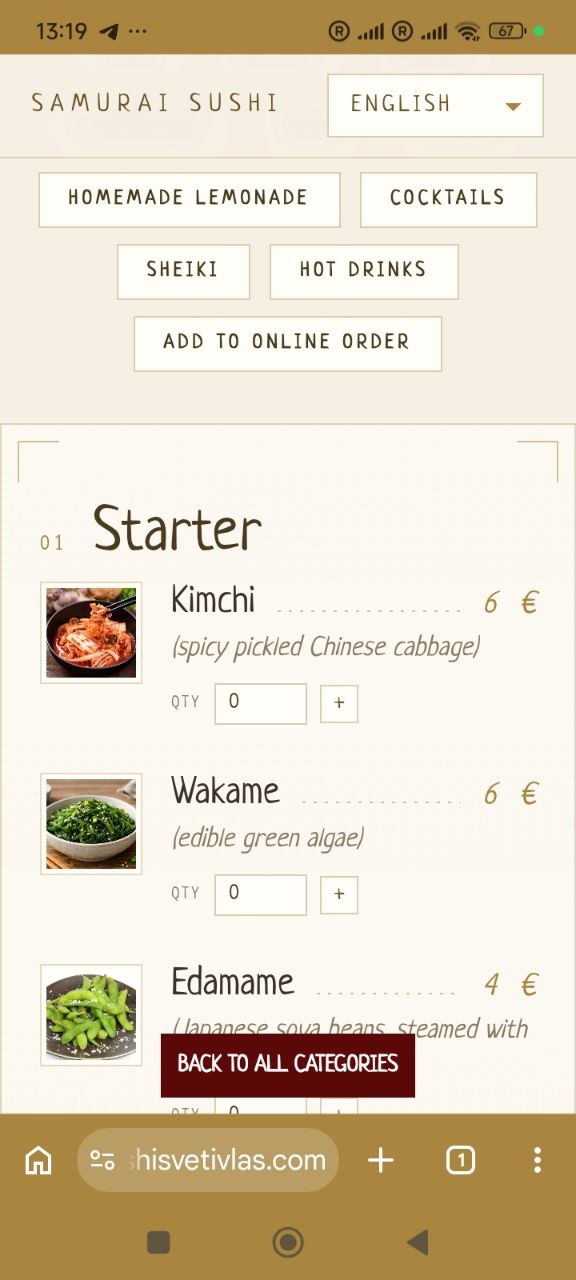
Ho hitantsika raha miasa tokoa izy.)
manaraka ireto :

Ny zavatra rehetra ny karazan-tsafidy pejy mila

Malalaka hanombohana

Avoahy tsy misy vidiny ny sakafo sy ny kaody QR-nao marika. Ampidiro ny baiko an-tserasera isaky ny vonona — tsy misy fanoloran-tena na.

Ny fiteny rehetra dia misy

Manompoa ny mpizahatany sy ny mponina ao an-toerana — mivadi fiteny eo noho eo, tsy misy pejy voatokana hitazonana azy. Ny olona dia misafidy ny toerana azon'izy ireo vakiana amin'ny fiteniny, izay afaka mitondra mpitsidika bebe kokoa any amin'ny toeram-pisakafoana misy anao.

Allergen labels

Tag each dish with any of the 14 allergens listed in Annex II of Regulation (EU) No 1169/2011 in one tap. Guests see clear icons and names right under the dish, so they can order with confidence.

Kaody QR

Vahiny mitily ny kaody QR eo amin'ny sezany ary mijery ny menio feno eo amin'ny findainy — tsy misy tolotra vita pirinty ilaina.

Levitra & Priligy

Vahiny mijery ny sakafo, manorina harona sy ny filaminana amin'ny aterineto — vonona ny handray na hatolotra ny varavarana.

Automatic sobika kajy

Vidin-javatra, be sy ny vaovao farany avy hatrany toy ny vahiny manorina ny harona — tsy misy boky nanampy ny, tsy misy Pricing fahadisoana, ary ny vahiny foana mahalala tsara izay dia handoa.

Endrika manokana ho anao

Safidio ny endrika mifanaraka amin'ny marikao.

Fampahafantaran'ny baiko avy hatrany

Rehetra mba vaovao tany ao amin'ny Dashboard ny fotoana dia napetraka, miaraka amin'ny feo fanairana.

Karohy ny "Google Search"

Ny antsipiriany momba ny sakafo sy ny trano fisakafoanana dia natsangana mba hahafahan'i Google mampiseho azy ireo mivantana amin'ny valin'ny fikarohana — manampy olona maro hahita anao.

Everything included

Everything your digital menu needs

Who it's for

Made for every kind of venue

Restaurants

Full menus with sections, photos and allergens, in the languages your guests speak.

Cafés & coffee shops

Change daily specials and prices in seconds, with nothing to reprint.

Bars & pubs

Drinks with volumes and prices, plus your Wi-Fi details right on the menu.

Pizzerias

Every pizza with a photo and a price, and pickup or delivery orders on the Pro plan.

Bakeries

Show allergens such as gluten, eggs and milk on every product.

Food trucks

One link and one QR code wherever you park, always showing today's menu.

Hotels & B&Bs

Breakfast, room-service and bar menus as sections of one page, behind a QR code in every room.

Delivery kitchens

Take pickup and delivery orders online with no commission on the Pro plan.

Ahoana no fiasan'izy

Ampio ny tenanao an-tserasera amin'ny minitra.

Hahazo kaody QR code ho an'ny sakafo ao anatin'ny 10 segondra.

Ampio ny sarinao ao anatin'ny segondra.

Vetivety dia ovay izay karazan-tsafidy rehetra.

Tag allergens on a dish in a few clicks.

1

Fenoy ny marikao

Fenoy ny marika, ny fiteny, ny fifandraisana ary mifidiana lohahevitra iray.

Eo amin'ny 5 minitra eo izany

2

Ampio ny karazan-tsafidy

Apetraho ao amin'ny sakafo, ny vidiny ary ny sokajy.

Tokony ho 1 minitra isaky ny zavatra

3

Vonona

Zarao ny rohy na ny QR code amin'ny sosialy, pirinty amin'ny karatra latabatra, ary manomboka mandray baiko.

Eo amin'ny 2 minitra eo izany

Ny sarambabem-bahoaka

Manomboka maimaim-poana. Hanatsarana ny filaminana an-tserasera.

Malalaka

Tsy misy carte de crédit ilaina

MAHALALA mandrakizay

  • Sarin-javatry ny tolotra an-tserasera
  • QR code ho an'ny latabatra
  • Automatic sobika kajy
  • Ny fiteny rehetra dia misy
  • Dikasary amin'ny tànana
  • Fandikana karazan-tsafidy mandeha hoazy ahitana
  • Allergen labels (14 EU allergens)
FAQ

Frequently asked questions

What is BestMenu?

BestMenu is an online menu builder for restaurants, cafés, bars and food trucks. You get your own branded menu page with a QR code for your tables, menus in more than one language with automatic translation (one extra language on Free, any number on Pro) and, on the Pro plan, online ordering for pickup and delivery.

What is a QR code menu?

A QR code menu is your menu as a web page. Guests scan the QR code on the table with their phone camera and the menu opens in the browser, with no app to install. You update it online, and the same QR code always shows the latest version.

Which businesses can use BestMenu?

Restaurants, cafés and coffee shops, bars and pubs, pizzerias, bakeries, food trucks, delivery kitchens and hotels, for breakfast, room-service or bar menus. If you serve food or drinks, BestMenu works for you.

What is the difference between a digital menu and a paper menu?

A paper menu has to be reprinted every time a price or a dish changes. A digital menu is updated in seconds from your dashboard, shows photos and allergens, switches between languages and costs nothing to print. Guests open it by scanning the QR code on the table.

Why not just put a PDF menu behind a QR code?

A PDF is hard to read on a phone: guests have to zoom in and scroll sideways, and every change means making and uploading a new file. A BestMenu page is made for phones, shows every dish with its price, photo and allergens, and updates the moment you save.

Is BestMenu really free?

Yes. The Free plan has no time limit and doesn't ask for a credit card. It includes your branded menu page, a QR code for your tables, automatic basket calculation, and both manual and automatic menu translation.

What do I get with the Pro plan?

Pro includes everything in Free, plus online ordering and an order management dashboard. It costs €9 per month, billed monthly, with no long-term commitment.

Do you take a commission on orders?

No. Pro is a flat monthly price. Every order your guests place is yours, with no per-order fees from BestMenu.

Do my guests need to install an app?

No. Guests scan the QR code with their phone camera and your menu opens straight in the browser. It works on any modern smartphone.

Can I change my menu after printing the QR code?

Yes. The QR code links to your menu page, not to a fixed copy of the menu, so you can update dishes, prices, photos and descriptions as often as you like. Changes appear instantly and you never need to reprint.

Does my QR code ever expire?

No. Your QR code simply points to your BestMenu page, so it keeps working for as long as your page exists, on the Free plan too.

How do menu translations work?

Choose the languages you want to offer and BestMenu translates your menu automatically. You can then edit any translation by hand. Guests switch languages with one tap, so tourists and locals can both read your menu. The Free plan includes one extra language next to your main one; Pro has no limit.

Can I add photos of my dishes?

Yes. You can add a photo to any menu item in a few seconds, right from your dashboard.

Can I show allergens on my menu?

Yes. When you add or edit a dish, tap the allergens it contains. All 14 allergens listed in Annex II of Regulation (EU) No 1169/2011 are available, and they appear under the dish on your menu with an icon and a name, on the Free plan too.

Can I match the menu to my brand?

Yes. Pick a theme for your menu page and add your logo, contact details, address, opening hours, Wi-Fi details and links to your messengers and social media.

How will I know when a new order comes in?

New orders appear in your dashboard the moment they're placed, with a sound alert, so you can start preparing them for pickup or delivery right away.

How long does it take to set up?

A few minutes. Sign in with your Google account, fill in your restaurant details and add your dishes, about a minute per item. No technical skills or design work needed.

Can I see a live example before signing up?

Yes. Use the "See a live example" link at the top of this page to open a real BestMenu menu exactly as your guests would see it, then create your own page for free.

Will my menu show up in Google search?

Your menu page includes the structured data Google recommends for restaurants, so search engines can read your dishes, prices and location, which can help more people find you.

Comparisamin'ny

Ny tombontsoa

Competitor details come from each company's own website or product listing. "Not listed" means we could not find it there.

Free QR Code

Free-tserasera QR fehezan-dalàna gropy

Mamoròna code QR maimaim-poana — tsy misy fisoratana anarana, tsy misy mailaka, na inona na inona hametrahana. Apetaho eto ambany ny rohy iray, na ny lisitra iray manontolo: ny andalana tsirairay dia lasa ny code code-nao azo trohana. Izy io dia mpamorona QR code maimaim-poana tsy misy sonia takiana, ary safidy haingana amin'ny QR Code Monkey raha te hanana code madio sy bokotra download ianao, na inona na inona hafa.

Your menu online in a minute

Free forever, no credit card. Add photos, allergens and translations whenever you like.

Jereo ohatra mivantana