Kopa tsebe ya gago

bestmenu.net/

MENU YA GAGO, LETSHWAOKGWEBO LA GAGO, MAHALA
mo inthaneteng ka metsotso e le mmalwa.

Dira menyu e e nang le letshwaokgwebo la mahala le tsebe ya QR-code ya resetšhurente ya gago, kofi, kgotsa bara — ga go na app e o ka e agang, ga go na motlhami yo o ka mo hirisang. Tsenya dijana, tlhopha thulaganyo, mme o bo o bolelela ba bangwe ka kgokagano ya gago. Tsenya otara ya mo inthaneteng nako le nako fa o setse o siametse go e tsenya.
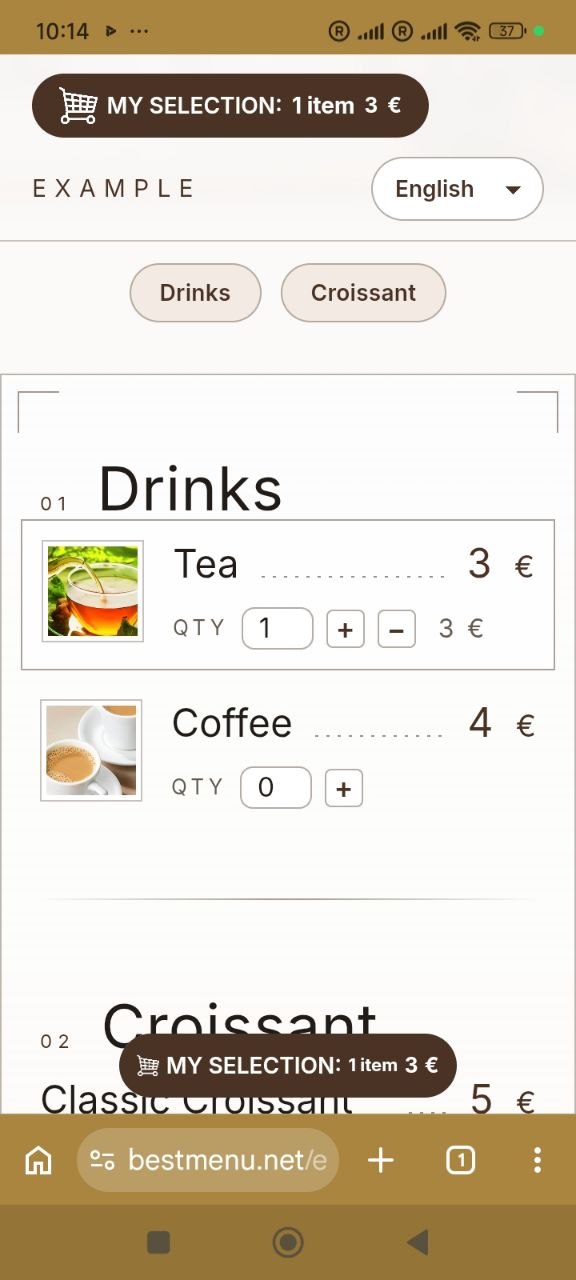
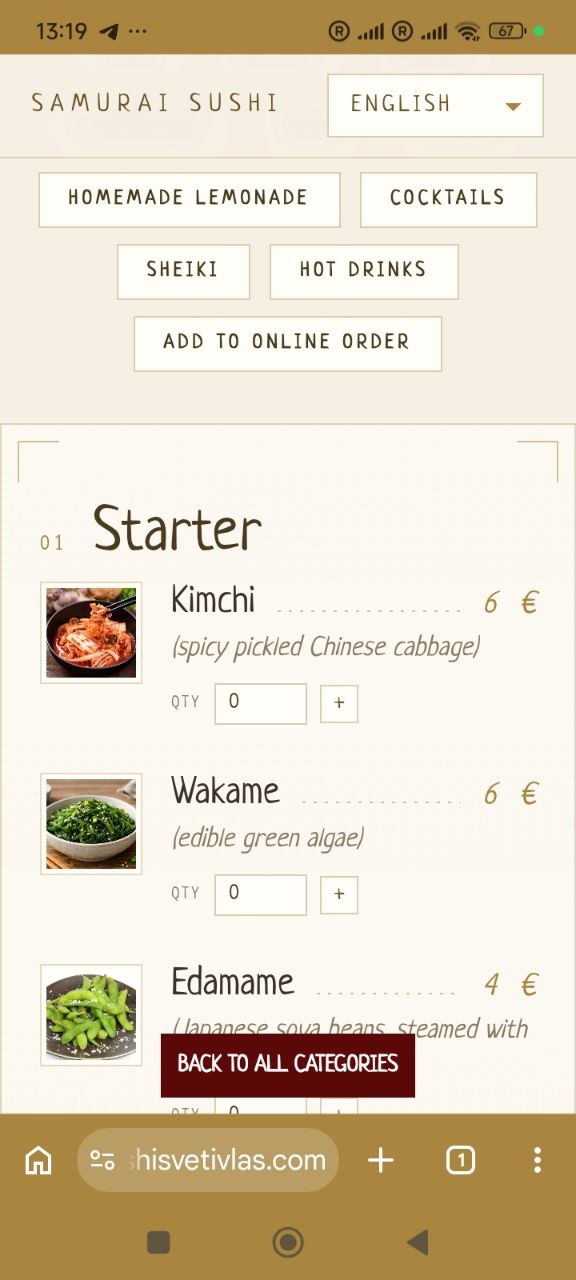
Dikarolo

Sengwe le sengwe se o se tlhokang mo tsebeng ya menene

SIMOLOLA GO SIMOLOLA

Go phasalatsa menyu e e nang le letshwaokgwebo le khoutu ya QR kwantle ga go ja ditshenyegelo dipe. Tsenya otara ya mo inthaneteng nako le nako fa o setse o siametse go e tsenya — o seka wa ititaya sehuba ka tsela epe

DIMENUSE TSA PUO NNGWE LE N

Direla bajanala le batho ba mo lefelong leno ka go tshwana — fetola dipuo ka bonako, ga go na ditsebe dipe tse di farologaneng tse o ka di tlhokomelang. Ka tlholego batho ba tlhopha mafelo a ba ka balang ka one ka puo ya bone, eleng se se ka dirang gore baeti ba ba oketsegileng ba tle kwa resetšhurenteng ya lona.

Allergen labels

Tag each dish with any of the 14 allergens listed in Annex II of Regulation (EU) No 1169/2011 in one tap. Guests see clear icons and names right under the dish, so they can order with confidence.

QR CODE

Baeng ba sekena khoutu ya QR e e leng kwa setulong sa bone mme ba bo ba sekaseka menyu e e tletseng mo founung ya bone — ga go tlhokege dimenu tse di gatisitsweng.

Go romela dilo le go di tsaya

Baeng ba senka menyu, ba aga seroto le go otara dilo mo inthaneteng — ba siametse go di tsaya kgotsa ba di romela kwa kgorong ya bone.

OTOMATIC BASK CALCULATION

Ditlhotlhwa, selekanyo sa ditlhotlhwa le palogotlhe ya diphetogo ka bonako jaaka baeng ba aga seroto sa bone — ga go na buka epe e e tlhakanyang ditlhotlhwa, ga go na diphoso tsa ditlhotlhwa, mme ka metlha baeng ba itse ka tlhamalalo se ba tlileng go se duela.

Setlhogo sa gago

Tlhopha sebopego se se tsamaisanang le letshwaokgwebo la gago.

KITSISO YA KA BONAKO KA BONA

Thulaganyo nngwe le nngwe e ntshwa e diragala mo deshibotong ya gago ka nako e e tsentsweng ka yone, mme go na le tsiboso e e utlwalang.

E e agetsweng Google search

Dintlha tsa menyu le resetšhurente tsa gago di rulagantswe gore Google e kgone go di bontsha ka tlhamalalo mo dipatlisisong — go thusa batho ba ba oketsegileng go go bona.

Everything included

Everything your digital menu needs

Who it's for

Made for every kind of venue

Restaurants

Full menus with sections, photos and allergens, in the languages your guests speak.

Cafés & coffee shops

Change daily specials and prices in seconds, with nothing to reprint.

Bars & pubs

Drinks with volumes and prices, plus your Wi-Fi details right on the menu.

Pizzerias

Every pizza with a photo and a price, and pickup or delivery orders on the Pro plan.

Bakeries

Show allergens such as gluten, eggs and milk on every product.

Food trucks

One link and one QR code wherever you park, always showing today's menu.

Hotels & B&Bs

Breakfast, room-service and bar menus as sections of one page, behind a QR code in every room.

Delivery kitchens

Take pickup and delivery orders online with no commission on the Pro plan.

Ka fa le berekang ka gone

Dira tsebe ya gago mo motsotsong o le 1 fela.

Bona khoutu ya QR ya menyu ya gago mo metsotswaneng e le 10.

Tsenya senepe mo dilong tsa menyu ya gago mo metsotswaneng.

Dira diphetogo ka bonako mo dilong dipe fela tse di mo mmeneng.

Tag allergens on a dish in a few clicks.

1

Tlatsa letshwaokgwebo la gago

Tlatsa letshwaokgwebo la gago, dipuo, batho ba o ka ikgolaganyang le bone mme o bo o tlhopha setlhogo.

E tsaya metsotso e e ka nnang 5

2

TSENYA MENU YA GAGO

Tla le dijo, ditlhotlhwa le ditlhopha tsa gago.

Mo e ka nnang motsotso o le 1 ka selo sengwe le sengwe

3

E SETSE E S

Share your link or QR-code on social, print it on a table card, and start taking order.

E tsaya metsotso e e ka nnang 2

Tlhotlhwa

Simolola mahala. Tlhabololo ya go otara dilo mo inthaneteng.

Mahala

Ga go tlhokege karata ya keretiti

Mahala ka bosakhutleng

  • Tsebe ya menyu ya mo inthaneteng e e nang le lets
  • Khoutu ya QR ya ditafole tsa gago
  • OTOMATIC BASK CALCULATION
  • DIMENUSE TSA PUO NNGWE LE N
  • TRANSLATION YA MENUAL
  • Phetolelo ya mmenu ya othometiki e akared
  • Allergen labels (14 EU allergens)
FAQ

Frequently asked questions

What is BestMenu?

BestMenu is an online menu builder for restaurants, cafés, bars and food trucks. You get your own branded menu page with a QR code for your tables, menus in more than one language with automatic translation (one extra language on Free, any number on Pro) and, on the Pro plan, online ordering for pickup and delivery.

What is a QR code menu?

A QR code menu is your menu as a web page. Guests scan the QR code on the table with their phone camera and the menu opens in the browser, with no app to install. You update it online, and the same QR code always shows the latest version.

Which businesses can use BestMenu?

Restaurants, cafés and coffee shops, bars and pubs, pizzerias, bakeries, food trucks, delivery kitchens and hotels, for breakfast, room-service or bar menus. If you serve food or drinks, BestMenu works for you.

What is the difference between a digital menu and a paper menu?

A paper menu has to be reprinted every time a price or a dish changes. A digital menu is updated in seconds from your dashboard, shows photos and allergens, switches between languages and costs nothing to print. Guests open it by scanning the QR code on the table.

Why not just put a PDF menu behind a QR code?

A PDF is hard to read on a phone: guests have to zoom in and scroll sideways, and every change means making and uploading a new file. A BestMenu page is made for phones, shows every dish with its price, photo and allergens, and updates the moment you save.

Is BestMenu really free?

Yes. The Free plan has no time limit and doesn't ask for a credit card. It includes your branded menu page, a QR code for your tables, automatic basket calculation, and both manual and automatic menu translation.

What do I get with the Pro plan?

Pro includes everything in Free, plus online ordering and an order management dashboard. It costs €9 per month, billed monthly, with no long-term commitment.

Do you take a commission on orders?

No. Pro is a flat monthly price. Every order your guests place is yours, with no per-order fees from BestMenu.

Do my guests need to install an app?

No. Guests scan the QR code with their phone camera and your menu opens straight in the browser. It works on any modern smartphone.

Can I change my menu after printing the QR code?

Yes. The QR code links to your menu page, not to a fixed copy of the menu, so you can update dishes, prices, photos and descriptions as often as you like. Changes appear instantly and you never need to reprint.

Does my QR code ever expire?

No. Your QR code simply points to your BestMenu page, so it keeps working for as long as your page exists, on the Free plan too.

How do menu translations work?

Choose the languages you want to offer and BestMenu translates your menu automatically. You can then edit any translation by hand. Guests switch languages with one tap, so tourists and locals can both read your menu. The Free plan includes one extra language next to your main one; Pro has no limit.

Can I add photos of my dishes?

Yes. You can add a photo to any menu item in a few seconds, right from your dashboard.

Can I show allergens on my menu?

Yes. When you add or edit a dish, tap the allergens it contains. All 14 allergens listed in Annex II of Regulation (EU) No 1169/2011 are available, and they appear under the dish on your menu with an icon and a name, on the Free plan too.

Can I match the menu to my brand?

Yes. Pick a theme for your menu page and add your logo, contact details, address, opening hours, Wi-Fi details and links to your messengers and social media.

How will I know when a new order comes in?

New orders appear in your dashboard the moment they're placed, with a sound alert, so you can start preparing them for pickup or delivery right away.

How long does it take to set up?

A few minutes. Sign in with your Google account, fill in your restaurant details and add your dishes, about a minute per item. No technical skills or design work needed.

Can I see a live example before signing up?

Yes. Use the "See a live example" link at the top of this page to open a real BestMenu menu exactly as your guests would see it, then create your own page for free.

Will my menu show up in Google search?

Your menu page includes the structured data Google recommends for restaurants, so search engines can read your dishes, prices and location, which can help more people find you.

Go bapisa

MESOLA YA RONA

Competitor details come from each company's own website or product listing. "Not listed" means we could not find it there.

Khoutu ya Mahala ya QR

Jenereitara ya mahala ya khoutu ya QR ya mo inthaneteng

Dira khoutu ya QR mahala — ga go na ikwadiso, ga go na imeile, ga go na sepe se o ka se tsenyang. Tsenya kgokagano e le nngwe fa tlase fano, kgotsa lenaane lotlhe: mola mongwe le mongwe o nna khoutu ya one e e ka kopololwang. Ke jenereitara ya mahala ya khoutu ya QR e go sa batliweng gore o ikwadise mo go yone, mme ke tsela e e bofefo ya go fetola QR Code Monkey fa o batla fela khoutu e e phepa le konopo ya go kopolola, ga go sepe se sengwe.

Your menu online in a minute

Free forever, no credit card. Add photos, allergens and translations whenever you like.

Bona sekai se se tshelang